
HTML Basics Introduction
HTML basics are important for every beginner who wants to learn web development. HTML basics help users understand how webpages are created using tags, elements, attributes, headings, paragraphs, images, tables, and forms. Learning HTML basics gives a strong foundation for frontend development and modern website creation.
Why HTML Basics Are Important
Understanding HTML basics is essential because HTML is the backbone of every website available on the internet. HTML basics teach developers how browsers display webpage content and how website structures are built using markup language.
HTML Basics for Beginners
HTML basics for beginners include learning important tags like heading tags, paragraph tags, image tags, anchor tags, table tags, and form tags. These HTML basics make it easier for beginners to create webpages and understand website layouts properly.
History of HTML
HTML was created by Tim Berners-Lee in 1991. The original purpose of HTML was to help researchers share documents over the internet using hyperlinks.
Over time, HTML evolved into the most important technology used for web development. Different versions of HTML introduced new features and better support for multimedia, forms, semantic tags, and responsive web design.
The latest version is HTML5, which includes modern features such as audio, video, canvas, local storage, and semantic elements.
What Is HTML?
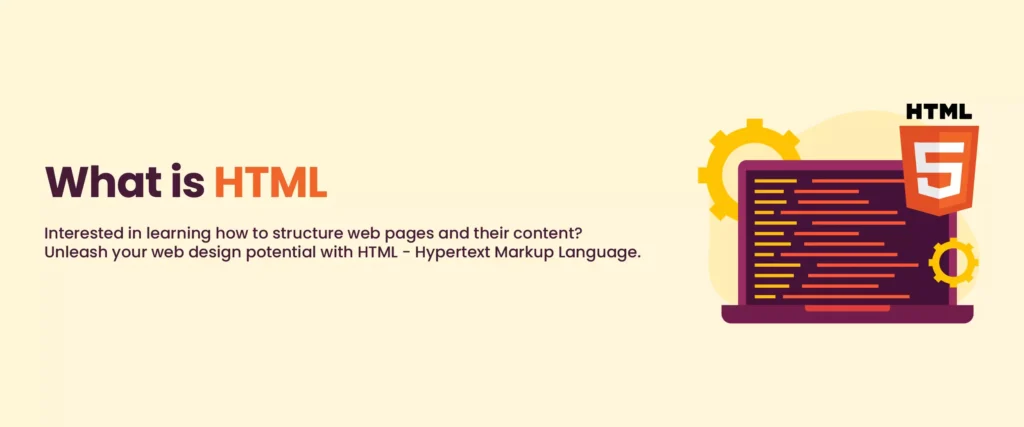
HTML is a markup language that uses tags to structure webpage content. HTML tells the browser how to display headings, paragraphs, links, images, buttons, tables, forms, and multimedia elements.
HTML uses opening and closing tags to organize content properly. Browsers read HTML documents and convert them into visible webpages for users.
Why HTML Is Important
- Creates webpage structure
- Displays content inside browsers
- Supports multimedia elements
- Works with CSS and JavaScript
- Essential for web development
- Supports SEO optimization
- Improves website accessibility
Features of HTML
- Simple and beginner-friendly
- Platform independent
- Supports multimedia
- Supports hyperlinks
- Easy integration with CSS and JavaScript
- Responsive webpage support
- Semantic structure support
Basic Structure of HTML
Every HTML document follows a standard structure. Below is a simple HTML page example:
This code creates a simple webpage with a heading and paragraph.
Main HTML Tags
| Tag | Purpose |
|---|---|
| <h1> | Main heading |
| <p> | Paragraph |
| <a> | Hyperlink |
| <img> | Image |
| <table> | Table |
| <form> | Form |
| <div> | Container |
| <ul> | Unordered list |
| <video> | Video content |
| <audio> | Audio content |
How HTML Works
HTML documents are saved with the .html extension. When users open an HTML file in a browser, the browser reads the tags and renders the webpage visually.
The browser interprets HTML code and displays headings, paragraphs, buttons, images, and layouts according to the instructions written in the HTML file.
HTML Elements and Attributes
HTML elements often contain attributes that provide extra information about the element.
In the above example, href is an attribute that specifies the website URL.
Types of HTML Elements
1. Block Elements
Block elements take full width on the webpage.
2. Inline Elements
Inline elements take only required space.
10 HTML Examples
1. Heading Example
2. Paragraph Example
3. Link Example
4. Image Example
5. List Example
6. Table Example
7. Form Example
8. Button Example
9. Video Example
10. Audio Example
Advantages of HTML
- Easy to learn
- Supported by all browsers
- Free to use
- Works on all platforms
- Supports multimedia content
- Improves website SEO
- Simple webpage creation
Disadvantages of HTML
- Cannot create dynamic websites alone
- Needs CSS for styling
- Needs JavaScript for interactivity
- Limited logic capabilities
Applications of HTML
- Website development
- Web applications
- Landing pages
- Portfolio websites
- Blogging websites
- E-commerce websites
- Educational websites
- Online forms
HTML vs CSS vs JavaScript
| Technology | Purpose |
|---|---|
| HTML | Structure |
| CSS | Design and styling |
| JavaScript | Interactivity |
HTML5 Features
- Audio support
- Video support
- Canvas graphics
- Semantic tags
- Local storage
- Responsive design support
Popular HTML Editors
- Visual Studio Code
- Sublime Text
- Notepad++
- Atom Editor
- Brackets
Why Beginners Should Learn HTML
HTML is the first step toward becoming a web developer. Learning HTML helps beginners understand webpage structure and website creation.
Without HTML knowledge, it becomes difficult to learn CSS, JavaScript, frontend frameworks, and full-stack development.
FAQs About HTML
1. What is HTML?
HTML is a markup language used for creating webpages and web applications.
2. What does HTML stand for?
HTML stands for HyperText Markup Language.
3. Who invented HTML?
Tim Berners-Lee invented HTML in 1991.
4. Is HTML a programming language?
No, HTML is a markup language, not a programming language.
5. What is HTML5?
HTML5 is the latest version of HTML with advanced features.
6. Why is HTML important?
HTML is important because it creates webpage structure.
7. Can HTML create websites alone?
HTML creates webpage structure, but CSS and JavaScript are needed for styling and interactivity.
8. Which software is used for HTML?
Editors like VS Code and Sublime Text are commonly used for HTML coding.
9. Is HTML easy to learn?
Yes, HTML is beginner-friendly and easy to understand.
10. What are HTML tags?
HTML tags are special keywords used to structure webpage content.
Conclusion
Now you understand what HTML is and how HTML works in web development. HTML is the foundation of every website and plays an important role in structuring webpage content.
HTML helps developers create webpages using tags, elements, attributes, multimedia support, forms, tables, and semantic structures. Modern websites depend heavily on HTML together with CSS and JavaScript.
Learning HTML is essential for beginners who want to become frontend developers, web designers, or full-stack developers.