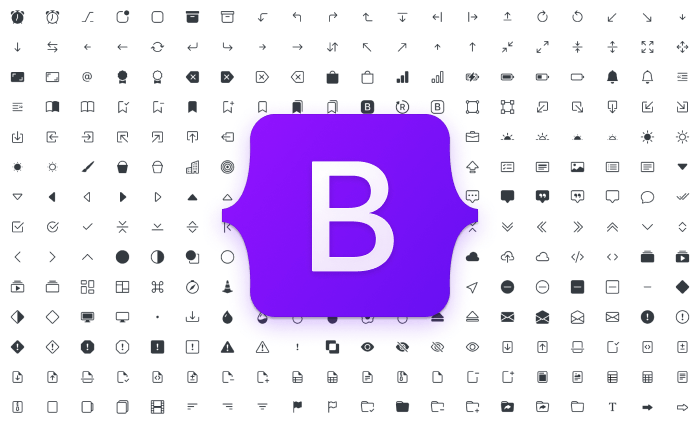

Bootstrap Icons have become one of the most popular resources for modern web design. Developers use Bootstrap Icons to create attractive interfaces, improve navigation, and enhance user experiences without relying on heavy graphic assets. Whether you are building a portfolio, business website, blog, eCommerce platform, or dashboard, Bootstrap Icons provide a professional appearance while keeping websites lightweight and responsive.
The popularity of Bootstrap Icons continues to grow because they are easy to integrate, highly customizable, scalable, and compatible with almost every Bootstrap UI project. Modern businesses use Bootstrap Icons to strengthen branding, guide visitors through content, and increase engagement. Designers also appreciate Bootstrap Icons because they maintain visual consistency across different devices and screen sizes.
When creating a Bootstrap website, visual communication is essential. Visitors often scan content rather than reading every word. Bootstrap Icons help communicate actions, features, categories, and services instantly. A simple icon can improve understanding faster than a paragraph of text. This makes Bootstrap Icons a valuable asset for Bootstrap design projects focused on usability and accessibility.
Many modern developers combine Bootstrap Icons with Bootstrap UI components such as cards, buttons, navigation bars, forms, alerts, and dashboards. This combination creates cleaner interfaces and improves user satisfaction. Businesses can use Bootstrap Icons to showcase services, highlight benefits, emphasize important actions, and create memorable experiences.
In this detailed guide, you will learn practical ways to use Bootstrap Icons effectively, understand their benefits, explore real-world examples, and discover best practices that can transform your Bootstrap website into a modern digital experience.
Why Bootstrap Icons Matter in Modern Web Design
Modern websites require clarity, speed, and responsiveness. Icons help users quickly identify actions and features without reading lengthy descriptions. Bootstrap Icons provide hundreds of professionally designed symbols that integrate seamlessly into Bootstrap projects.
- Improve visual hierarchy
- Increase user engagement
- Support responsive design
- Reduce dependency on image files
- Enhance accessibility
- Improve navigation efficiency
Idea #1: Create Powerful Navigation Menus
Navigation is one of the most important elements of any website. Icons make navigation easier to understand and visually appealing. Users can instantly recognize home, search, contact, settings, and profile sections through recognizable symbols.
Example 1: Home Navigation Icon
This icon clearly communicates the homepage destination and improves user orientation.
Example 2: Search Navigation Icon
Search icons are universally recognized and help visitors find information quickly.
Idea #2: Improve Call-To-Action Buttons
Buttons become more noticeable when combined with icons. A visually enhanced CTA often attracts more clicks than plain text buttons. Icons provide context and encourage user interaction.
Example 3: Download Button
<i class=”bi bi-download”></i> Download
</button>
Download icons clearly indicate the intended action and improve click-through rates.
Example 4: Shopping Cart Button
<i class=”bi bi-cart”></i> Buy Now
</button>
eCommerce websites frequently use cart icons to encourage purchases and simplify the shopping experience.
Idea #3: Design Attractive Feature Sections
Feature sections are ideal places to showcase services and benefits. Icons help separate content blocks and make information easier to scan.
Example 5: Security Feature Card
<h4>Secure Platform</h4>
<p>Advanced protection for users.</p>
Security icons instantly communicate trust and reliability to visitors.
Benefits of Using Bootstrap Icons
- Fast loading performance
- Scalable vector graphics
- Professional appearance
- Mobile-friendly design
- Easy customization
- Consistent branding
- Improved user engagement
- Enhanced accessibility
Idea #4: Build Professional Dashboards with Bootstrap Icons
Modern dashboards require clear visual indicators to help users understand reports, statistics, and performance metrics quickly. Icons improve readability and allow users to recognize important sections instantly. Whether you are building an admin panel, CRM system, analytics dashboard, or project management platform, Bootstrap icons can significantly improve usability.
A well-designed dashboard uses visual elements strategically. Icons can represent revenue, users, messages, reports, tasks, notifications, and settings. This reduces cognitive load and helps users navigate large amounts of information efficiently.
Example 6: Analytics Dashboard Card
<div class=”card-body”>
<i class=”bi bi-graph-up”></i>
<h4>Sales Growth</h4>
<p>+35% This Month</p>
</div>
</div>
Graph icons instantly communicate performance and analytics data. Businesses commonly use them to display sales growth, visitor statistics, and performance trends.
Example 7: User Management Dashboard
Total Users
User icons help administrators identify customer-related metrics quickly and improve overall dashboard navigation.
Idea #5: Enhance Social Media Integration
Social media plays a major role in digital marketing and brand awareness. Adding recognizable social icons encourages visitors to connect with your brand across different platforms. These icons improve engagement and help increase social visibility.
Modern websites frequently place social media icons in headers, footers, contact sections, blog pages, and landing pages. Consistent placement improves usability and encourages interaction.
Example 8: Social Media Icons
<i class=”bi bi-facebook”></i>
</a>
<a href=”#”>
<i class=”bi bi-instagram”></i>
</a>
<a href=”#”>
<i class=”bi bi-linkedin”></i>
</a>
These icons create a professional social presence and make it easy for visitors to connect with your brand.
Idea #6: Improve Contact and Communication Sections
Every successful website requires a strong communication strategy. Contact sections become more user-friendly when icons are used to represent phone numbers, email addresses, office locations, support desks, and customer service channels.
Visitors can immediately recognize communication methods through visual cues. This improves accessibility and encourages more inquiries from potential customers.
Example 9: Email Contact Icon
info@example.com
Email icons make contact information easier to locate and improve communication effectiveness.
Example 10: Phone Contact Icon
+91 99999 99999
Phone icons help visitors instantly identify support and sales contact options.
Advanced Bootstrap Icons Customization Techniques
Professional developers often customize icons to match brand guidelines and design requirements. Bootstrap icons can be styled using CSS to modify colors, sizes, spacing, hover effects, animations, and transitions.
font-size: 40px;
color: #0d6efd;
transition: 0.3s;
}
.custom-icon:hover {
color: #198754;
transform: scale(1.1);
}
Hover animations improve user engagement while maintaining a modern appearance. These effects are especially useful for service sections, feature cards, and call-to-action areas.
Best Practices for Using Icons on Modern Websites
- Maintain consistent icon styles across the website.
- Use icons that clearly represent their purpose.
- Avoid overcrowding pages with excessive icons.
- Ensure icons remain responsive on mobile devices.
- Use sufficient spacing around icons.
- Combine icons with descriptive text when necessary.
- Follow accessibility standards for screen readers.
- Optimize icon sizes for fast performance.
- Test icon visibility across different devices.
- Use branding colors consistently.
Common Mistakes to Avoid
Many developers make mistakes when implementing icons. Overusing icons, choosing unclear symbols, ignoring accessibility, and failing to maintain consistency can reduce usability. Icons should enhance content rather than distract users.
- Using too many icons in one section.
- Choosing icons unrelated to content.
- Ignoring mobile responsiveness.
- Using inconsistent icon sizes.
- Poor color contrast.
- Lack of accessibility support.
SEO Benefits of Bootstrap Icons
Although icons do not directly improve search rankings, they contribute to better user experience, increased engagement, improved navigation, and lower bounce rates. These factors indirectly support SEO performance and help websites achieve better results in search engines.
Fast-loading websites provide better experiences for users and search engines. Since Bootstrap icons use scalable vector graphics, they reduce dependency on large image files and improve performance.
Why Developers Love Bootstrap Icons
Developers prefer Bootstrap icons because they are easy to implement, highly customizable, lightweight, and maintained by a trusted ecosystem. The extensive icon library supports a wide range of projects including blogs, portfolios, business websites, SaaS platforms, eCommerce stores, and enterprise dashboards.
Whether you are a beginner or an experienced web developer, integrating icons into your design workflow can significantly improve website appearance and usability.
Frequently Asked Questions (FAQs)
1. What are Bootstrap Icons?
Bootstrap Icons are an open-source SVG icon library designed to work seamlessly with Bootstrap projects and modern websites.
2. Are Bootstrap Icons free to use?
Yes, they are completely free and open-source for personal and commercial projects.
3. Can I customize Bootstrap Icons?
Yes, you can modify icon size, color, spacing, animations, and hover effects using CSS.
4. Do Bootstrap Icons work without Bootstrap?
Yes, they can be used independently in any HTML project.
5. Are Bootstrap Icons mobile responsive?
Yes, Bootstrap Icons are vector-based and scale perfectly across different devices.
6. How do Bootstrap Icons improve UX?
They provide visual guidance, improve navigation, and help users understand actions quickly.
7. Can Bootstrap Icons improve website speed?
Yes, they are lightweight compared to many image-based alternatives and help reduce page load times.
8. How many icons are available?
The library contains thousands of icons covering navigation, business, communication, commerce, media, analytics, and more.
9. Are Bootstrap Icons SEO-friendly?
They indirectly support SEO by improving user experience, engagement, and website performance.
10. Should I use icons with text?
Yes, combining icons with descriptive text usually provides the best user experience and accessibility.
Conclusion
Bootstrap Icons have become an essential tool for creating modern, professional, and responsive websites. From navigation menus and call-to-action buttons to dashboards, social media integration, and contact sections, icons improve usability while maintaining a clean design. By following best practices and implementing the ideas discussed in this guide, developers can create visually appealing websites that provide exceptional user experiences.
The combination of thoughtful design, responsive layouts, accessibility standards, and effective icon usage helps businesses build trust, improve engagement, and strengthen their online presence. Whether you are launching a new website or upgrading an existing project, Bootstrap Icons remain one of the most effective resources available for modern web development.
#BootstrapIcons, #BootstrapUI, #BootstrapDesign, #WebDevelopment, #FrontendDevelopment, #ResponsiveDesign, #WebsiteDesign, #BootstrapTutorial, #UIDesign, #FreshBlog